Résumé
Create. Critique. Connect.

A strong résumé is a critical tool for use in pursuing your career goals. To create an effective résumé, the Career Resource Center offers a résumé guide, templates based on the industry standards, videos, and books in our office library.
Instructions for Résumé Review and Résumé AI Tool
- Use the CRC résumé template (below) to build or update your résumé.
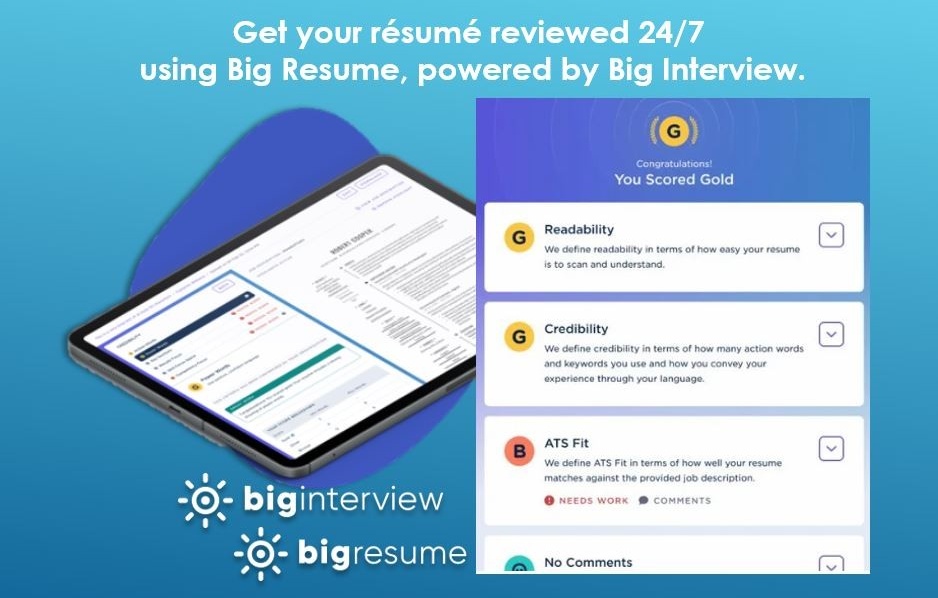
- Gain instant and personalized feedback with the online résumé AI tool, Big Resume (powered by Big Interview).
- Log into Big Interview using your UB credentials.
- Click Big Resume in the dots on the top left.
- Click Scan and select ResumeAI.
- Scan your résumé using a School of Management scoring guide. There are four available: undergraduate, master of science, MBA and online MBA or MS.
- Note the score and advice you receive. Update your résumé as suggested.
- Upload your best version to BizLink.
Official CRC Résumé Templates
Résumé Guide
Read an informational guide on résumé preparation based on feedback we have received from recruiters.
Additional Resources
- Action Verbs
Use this list of action verbs to develop your résumé's bulleted statements. - Glossary of Action Verbs [PDF]
Be sure you are using the action verbs correctly by understanding their meaning. - Applicant Tracking Systems
Get started in creating a résumé that will work with recruiting software and eventually make it to a live recruiter. - Tips on Formatting Your Résumé Using Word
Using the CRC template is important, but you may still want to watch this quick video to learn the MS Word hacks necessary to format your résumé professionally. - CRC Résumé Writing Workshop
- CRC Student Resource Area
Use our career guides and other library resources to help you in your job search. Find resources on writing cover letters and government résumés and case interview guidelines.
Meet with your Career Advisor
To review your résumé or cover letter in person, meet with a member of the CRC staff. You can schedule an appointment directly through BizLink. Select Career Advising in the upper right. Then select the appropriate advisor on the left and view availability. You can also call or stop by the office to schedule an appointment. In addition to critiques, your advisor can assist with job search strategy, interviews or career planning.
Make the Most of Your Appointment
Start with a CRC résumé template and implement suggestions from your Resume AI critique to ensure you receive more in-depth feedback from your advisor.
Résumé Writing Workshop
These tools will help you become aware of the important features of an American-style résumé. Based on years of feedback from corporate recruiters, we will show you what to include as well as what not to include. We will also demonstrate how to make the most of your experience.
- Digital Workshop: Résumé Writing
- Tutorial: Making Your Content Count
Quick Links
· AI Tools
· Career Checklists
· Career Development
· Building Skills
· Career Tools
· Résumé
· Cover Letter
· Interview
· Thank You
· Events
· International Tools
· Internships
· Search for internships
· Report My Internship
· Job Market Research Tools
· Career Interest Areas
· Salary Resources
· Manage offers and negotiate salary
· Report My Job
· Working Professionals: Career Resources


Contact Us
Frank L. Ciminelli Family
Career Resource Center
School of Management
University at Buffalo
308 Alfiero Center
Buffalo, NY 14260-4010
Tel: 716-645-3232
Fax: 716-645-3231
mgt-crc@buffalo.edu
Holiday Office Hours
Monday-Thursday
9:00 a.m. - 12 p.m.
and 1 p.m. - 4 p.m.
Friday
9:00 a.m. - 12 p.m.
If you have a scheduled meeting between 12 and 1 p.m., please knock.